GOVGovernment and Public Information
How to Use Government Open Data: A Beginner's Guide to Data.gov and Beyond
Find, download and sanity-check government open data: Data.gov, Census, World Bank and more, with file formats, citation tips and simple student projects.
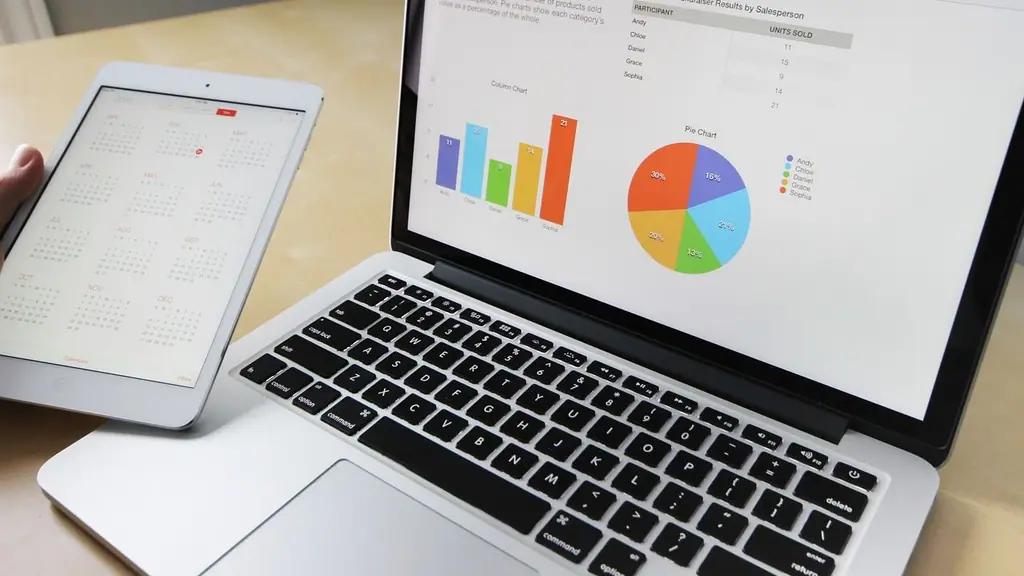
Suppose your civics class is asked a simple question: has the share of people who rent their homes in your county gone up over the last decade? A news article might give you one number for one year. The government data behind that article will let you look at every year, compare your county with its neighbors, and check whether the change is bigger than the uncertainty in the estimate.
Government agencies publish an enormous amount of this raw material, free, for anyone to use. The hard part is not access but knowing where to look, how to open what you download, and how to avoid the classic mistakes that turn good data into wrong conclusions. This guide covers all three, using Data.gov and a few other major portals, and ends with project ideas that work for middle school through college.
What "open data" means
The Open Knowledge Foundation's Open Definition sums it up: knowledge is open if anyone is free to access, use, modify and share it, subject at most to requirements that preserve where it came from and that it stays open. In practice, open data should be downloadable without charge, available in a form a computer can process, and released under terms that allow reuse.
In the United States, this is backed by law. The OPEN Government Data Act, which made the central catalog of federal datasets a statutory requirement in 2019, directs federal agencies to inventory their data and make public data available in open, machine-readable formats while protecting privacy and security. Data.gov, launched by the General Services Administration on May 21, 2009, is the catalog that brings those inventories together.
One point surprises many first-time users: Data.gov is a catalog, not a warehouse. It displays information about datasets that individual agencies publish and maintain, and links you to them. If a link is broken or a number looks wrong, the dataset page lists a point of contact at the publishing agency.
Where to look
Start with the portal closest to your question. National statistics usually live with the agency that collects them.
| Source | Best for | Notes |
|---|---|---|
| Data.gov | Finding federal datasets on almost any topic, plus some state and city data | Searchable catalog; each dataset is hosted by its agency |
| data.census.gov | Population, housing, income, education and business statistics down to small areas | The Census Bureau publishes tutorials and an API for repeat users |
| Bureau of Labor Statistics | Employment, wages, prices and inflation | Many tables and ready-made charts |
| State and city open data portals | Local issues: 311 requests, permits, school data, transit | Terms of use vary by government |
| World Bank Open Data | Comparing countries over time on development indicators | Most datasets openly licensed |
The library's Government and Public Information section lists these and other official data sources, each checked by hand. If you are not sure which agency is responsible for a topic, our guide to finding official government information explains how to track it down.
From question to download, step by step
Here is the routine using Data.gov; the same logic works on any portal.
- Write your question in plain words, including the place and time period: "rates of bicycle commuting in large U.S. cities since 2015."
- Search the catalog at catalog.data.gov with two or three key terms. Data.gov ranks results by relevance and then popularity; if you get too many results, add a term or filter.
- Filter by organization to see only datasets from the agency most likely to collect the data. "Organizations" on Data.gov include federal agencies and non-federal publishers such as states and cities.
- Open the dataset page and read the metadata. You will see the publisher, a description, keywords and key dates, including when the metadata was last modified. The "Access & Use" section shows the license and access level when the publisher provides them.
- Find the documentation. Look for a data dictionary, codebook, methodology or "technical notes" link. It explains what each column means, how the data were collected and what the codes stand for.
- Download the most usable format, usually CSV for a spreadsheet, and save the documentation in the same folder.
- Record where it came from: dataset title, agency, version or release date, URL and the date you downloaded it. You will need these to cite it.
Tip: Non-federal datasets listed on Data.gov come with their own terms of service and licenses. Data.gov advises checking the "Access and Use" section of each catalog entry before reusing state or local data.
Common file formats
| Format | What it is | How to open it |
|---|---|---|
| CSV | Plain text table, values separated by commas | Any spreadsheet program; the easiest place to start |
| XLSX | Spreadsheet workbook | Spreadsheet software; check for multiple tabs and notes rows |
| JSON or XML | Structured data for software | Browser or code; many spreadsheets can import them |
| GeoJSON, shapefile | Map boundaries and locations | Free mapping tools or GIS software |
| API | A web address that returns data on request | Useful for repeat or automated downloads; may need a free key |
| PDF tables | Formatted reports | Readable, but awkward to analyze; look for a CSV version first |
Sanity-check the data before you trust it
Most errors with open data are not about the data being false. They come from misreading what it measures. Run through these checks before you calculate anything.
Checklist: What exactly does each column measure, and in what units (dollars, thousands of people, percent)? Which time period does each row cover, and is it a calendar year, a fiscal year or a multi-year average? What geography is it (city limits, metro area, county)? How are missing values shown (blank, zero, a code such as -999)? Has the definition changed partway through the series? Does a total you calculate match a total the agency publishes? Is there a margin of error?
That last question matters a great deal for survey data. The Census Bureau's American Community Survey (ACS) is based on a sample, so its figures are estimates. The Bureau publishes 1-year estimates only for areas with populations of 65,000 or more, while 5-year estimates cover all areas and are the most reliable, though the least current. Its guidance is to use 1-year estimates when being current matters more than precision, and 5-year estimates when precision matters more. If the ranges set by two estimates' margins of error overlap, be cautious about claiming that one is larger without a proper statistical test.
Try it: Find one statistic about your county or city on data.census.gov, such as median household income. Note the estimate and its margin of error. Then look up the same figure for a neighboring county. Can you honestly say which is higher? Write one sentence that reports the comparison accurately.
A few more habits help: keep an untouched copy of the original download, make changes in a separate file, and write down every step you take (filtering, removing rows, converting units) so someone else could repeat your work.
Cite the data
Cite datasets as carefully as articles. APA Style's data set format runs: author (usually the agency), year of the version you used, the dataset title in italics, any identifier or version number in parentheses, the description "[Data set]" in brackets, the publisher, and a DOI or URL. APA also advises that if you are citing a statistic that an agency has already published in a report or web page, you cite that publication rather than the dataset itself.
Some publishers specify their own wording. The World Bank, for example, provides its datasets under a Creative Commons Attribution 4.0 license unless labeled otherwise, asks users to attribute them in the form "The World Bank: Dataset name: Data source (if known)," and notes that some third-party indicators carry different terms. For MLA and Chicago formats, and for web pages in general, see How to Cite Online Sources in MLA, APA and Chicago.
Project ideas for students
These work as short exercises or as the data backbone of a larger project. Our guide to researching a school project helps with the question and write-up.
- Local change over time: use ACS 5-year estimates to compare your county's rate of renting, commuting by transit, or broadband access across two non-overlapping periods.
- Prices then and now: compare what common goods cost in different years using official inflation data, and explain why a "price" from 1990 is not directly comparable to today's.
- Country comparisons: pick one World Bank indicator, such as access to electricity, and chart five countries over twenty years. Read the indicator's definition before drawing conclusions.
- City services: download a city's 311 service-request data and map which requests are most common in different neighborhoods, noting what the data cannot tell you (who does not report problems).
- Check a claim: find a statistic quoted in a news story, locate the original dataset, and see whether the story reported it accurately.
Where to go next
Browse the hand-checked datasets listed below, or the full library, and pick one question you could answer this week with a single download. Start small: one dataset, one clear question, one honest chart.
Curated resources
Checked by hand from the Government and Public Information shelf of the library (datasets). Each entry says what it costs and when we last verified it.
College Scorecard
U.S. Department of Educationcollegescorecard.ed.gov
An official U.S. Department of Education tool for comparing colleges and fields of study by cost, graduation rate, student debt and typical earnings after attending. Helps students and families make informed decisions with federal data rather than marketing claims.
Using it: Free, no account.
Verified
data.census.gov
U.S. Census Bureaudata.census.gov
The Census Bureau's main platform for searching and downloading detailed census and survey data. Build tables and maps by geography, from the nation down to neighborhoods, for research, journalism and school data projects.
Using it: Free, no account. The interface has a learning curve; start with the Census Bureau's tutorials.
Verified
Data.gov
U.S. General Services Administrationdata.gov
The U.S. government's open data portal, cataloging hundreds of thousands of datasets from federal, state and local agencies. Researchers, students and developers can find data on topics such as agriculture, climate, education, health and public safety for analysis projects.
Using it: Free, no account. Each dataset is hosted by its publishing agency, so formats and update schedules vary.
Verified
FRED Economic Data
Federal Reserve Bank of St. Louisfred.stlouisfed.org
A free database maintained by the Federal Reserve Bank of St. Louis with hundreds of thousands of economic time series from national and international sources. Easy charting and download tools make it a favorite for economics classes, research and journalism.
Using it: Free; account optional for saved graphs.
Verified
Our World in Data
Global Change Data Lab (nonprofit) with University of Oxfordourworldindata.org
Research and interactive charts on global problems such as poverty, health, energy, climate and education, built from carefully sourced data. Every chart links to its sources and can be downloaded, making it outstanding for evidence-based essays, lessons and presentations about long-term world trends.
Using it: Free, no account. Charts and data are openly licensed with attribution.
Verified
UNdata
United Nations Statistics Divisiondata.un.org
A single access point to statistical databases from the United Nations system, with country profiles and indicators on population, economy, trade, education and environment. Useful for international comparisons in geography and social studies projects.
Using it: Free, no account.
Verified
WHO Data
World Health Organizationdata.who.int
The World Health Organization's data portal with global health statistics, country profiles and indicators on disease, mortality, health systems and risk factors. An authoritative source for health statistics in research and school projects.
Using it: Free, no account.
Verified
World Bank Open Data
The World Bankdata.worldbank.org
Free access to global development data, including thousands of indicators on poverty, health, education, economy and environment for nearly every country. Charts, maps and downloadable datasets make it a key resource for comparing countries over time.
Using it: Free, no account. Data is openly licensed.
Verified
See all 47 Government and Public Information resources in the library
Sources
- Data.gov User Guide, U.S. General Services Administration
- About Data.gov, U.S. General Services Administration
- Understanding and Using ACS Data: When to Use 1-year, 3-year, or 5-year Estimates, U.S. Census Bureau
- Terms of Use for Datasets, World Bank
- Open Definition 2.1, Open Knowledge Foundation
- Data Set References, APA Style, American Psychological Association