GOVGovernment and Public Information
Financial Information Online: Official Sources for Markets, Companies and Money
Where to find free, official financial information: SEC filings, broker checks, economic data, consumer protection, how to read a stock quote, and scam signs.
A student writing a report on a well-known sneaker company wants its real sales figures, not the numbers quoted in a promotional video. A retiree hears about a "can't-lose" opportunity at a community dinner and wonders how to check the person selling it. A teacher needs ten years of inflation data for an economics lesson. All three questions have free, official answers, but they sit on different government and nonprofit websites that few people learn about in school.
This page is a map of those sources. It explains where company filings live, how to check a broker or adviser, where economic statistics come from, how to read a stock quote, and how to recognize investment fraud. It is general information for research and consumer protection, not investment advice; for decisions about your own money, consult a qualified, properly registered professional.
Company information straight from the source
Public companies in the United States must file regular reports with the Securities and Exchange Commission (SEC), and those filings are free to read in the SEC's EDGAR database. Investor.gov, the SEC's education site, describes the three filings most readers need:
| Form | What it is | Best for |
|---|---|---|
| 10-K | Annual report with audited financial statements, risk factors and management's discussion of results | Sales, profit, debt and the company's own description of its risks |
| 10-Q | Quarterly report with unaudited financial statements | Recent trends between annual reports |
| 8-K | Current report on significant events | Leadership changes, mergers, major announcements |
A "/A" after a form type, as in 10-K/A, marks an amendment. Search EDGAR by company name or ticker symbol, then filter by form type. For a school report, the "Business" and "Risk Factors" sections of a 10-K are usually the most readable starting points.
For private companies, nonprofits and businesses registered in a particular state, filings live elsewhere; our guide to looking up a company in official registries covers state business searches.
Tip: News articles often round or summarize a company's figures. When accuracy matters, cite the filing itself: name the company, the form, the fiscal year and the EDGAR filing date.
Checking the people who sell investments
Before trusting anyone with money, check whether they are registered. Two free tools cover most cases:
- FINRA BrokerCheck shows whether a broker or brokerage firm is registered, their employment history, and any disciplinary actions or customer complaints on record.
- Investment Adviser Public Disclosure, run by the SEC, does the same for investment advisers and their firms.
A missing record is a serious warning sign. Your state securities regulator can also confirm registration and take complaints.
It also helps to know what protections exist. The Securities Investor Protection Corporation (SIPC) protects customers of a failed member brokerage firm, generally up to $500,000 per customer, including up to $250,000 in cash. SIPC does not cover losses from a drop in market value or from bad investment choices. Bank deposits are a separate system: the FDIC insures deposits at member banks up to its standard limits, which its website explains.
Economic data for reports and lessons
Government statistical agencies publish the numbers that newspapers and textbooks quote. Go to them directly:
- FRED, run by the Federal Reserve Bank of St. Louis, gathers economic time series from many agencies (interest rates, unemployment, inflation, GDP and much more) and lets you chart and download them free.
- Bureau of Labor Statistics (BLS) produces the Consumer Price Index and employment figures; its CPI Inflation Calculator converts dollar amounts between years.
- Bureau of Economic Analysis (BEA) publishes gross domestic product (GDP), personal income and trade figures.
- The Federal Reserve Board posts data releases, interest-rate decisions and plain-language explanations of monetary policy.
- U.S. Department of the Treasury publishes daily Treasury interest rates, and TreasuryDirect is where individuals buy savings bonds and Treasury securities directly from the government.
When you cite economic data, note the series name, the agency, whether the figures are seasonally adjusted, and the date you downloaded them. Many series are revised after first release. For a broader method, see finding reliable statistics.
Try it: Use the BLS CPI Inflation Calculator to find what $20 from the year your oldest relative was born would equal today. Then find the same CPI series on FRED and chart it. Do both sources agree? Write one sentence explaining any small difference (hint: check the months each tool uses).
How to read a stock quote
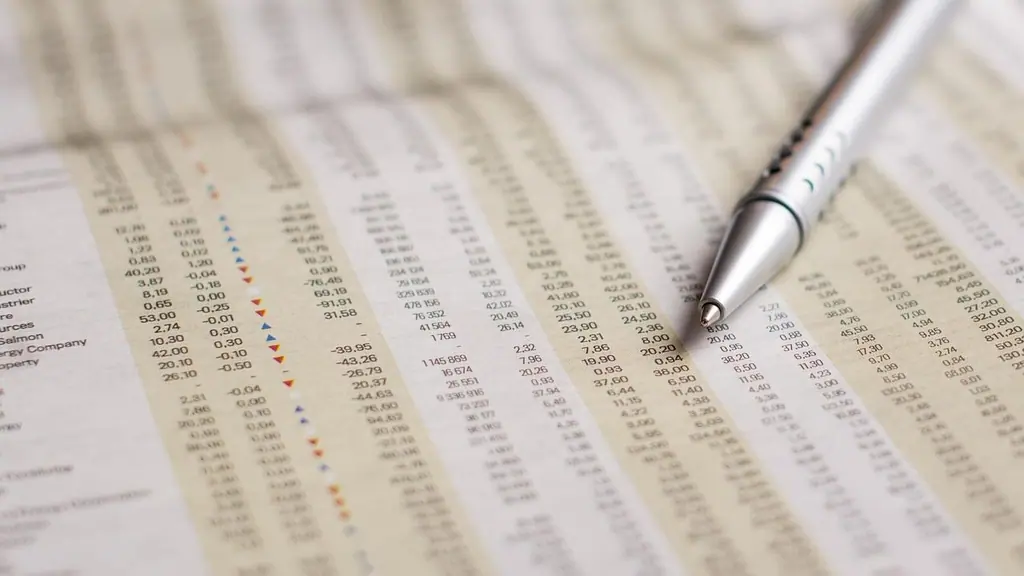
The SEC's Investor.gov glossary defines stock quotes as listings of prices to buy and sell a stock: bids are what buyers are willing to pay, and offers (also called asks) are what sellers will accept. A typical quote page on a financial news site or exchange website shows:
- Ticker symbol: the short code for the company's shares on an exchange.
- Last price and change: the most recent trade price and how far it has moved since the previous close, in dollars and percent.
- Bid and ask: the best current prices buyers and sellers are offering. The gap between them is the spread.
- Open, high, low, previous close: the day's price range and where it started.
- Volume: how many shares have traded during the session.
- 52-week range: the lowest and highest prices over the past year.
- Market capitalization: share price multiplied by shares outstanding, a rough measure of company size.
- P/E ratio and dividend yield: price relative to earnings per share, and annual dividends relative to price.
Free quotes on many websites are delayed by several minutes; the page normally says so. A quote tells you what shares are trading for, not whether a company is healthy. For that, go back to the filings.
The exchanges themselves also publish information: the New York Stock Exchange and Nasdaq post market data products, trading-halt notices and symbol directories on their websites. Most business news sites draw on the same exchange data and company filings, so if two articles disagree, the filing or the exchange notice is the tiebreaker.
Avoiding investment scams
Investor.gov advises anyone with a question about an investment, or who suspects fraud, to contact the SEC, FINRA or their state securities regulator. Warning signs that come up again and again in federal consumer guidance include:
- Promises of high or "guaranteed" returns with little or no risk
- Pressure to act immediately or keep the opportunity secret
- Unregistered sellers or products you cannot find on BrokerCheck or EDGAR
- Requests to pay in cryptocurrency, gift cards or wire transfers
- Unexpected messages on social media or messaging apps offering investment "coaching"
- Pitches that spread through a trusted group, such as a club, congregation or community
Safety: Never send money to someone you met online who offers to teach you to invest or to manage your money. Look up the person and the product yourself, using the official tools above, before you share any personal or account information. Report suspected fraud to the SEC, to ReportFraud.ftc.gov, and to your state securities regulator.
The same tactics appear in other frauds; see advance-fee scams. For other money questions with official answers, see free tax help from the IRS, finding unclaimed money and property and the Government and Public Information subject page.
Recommended resources
- EDGAR Full-Text Search — Search every public company filing with the SEC by name, ticker, form type or keyword (U.S. Securities and Exchange Commission; free, no account).
- Using EDGAR to Research Investments — A plain guide to which filing contains which information, with a table of common form types (SEC, Investor.gov; free).
- Investor.gov — The SEC's investor education site, with a glossary, calculators, investor alerts and a search tool for checking investment professionals (SEC; free).
- FINRA BrokerCheck — Look up a broker or brokerage firm's registration, work history and disciplinary record before you do business with them (Financial Industry Regulatory Authority; free).
- Investment Adviser Public Disclosure — The SEC's lookup for registered investment advisers, with firm filings and individual records (SEC; free).
- What SIPC Protects — Explains what happens to your account if a brokerage firm fails, and what is not covered (Securities Investor Protection Corporation; free).
- FDIC Deposit Insurance — How bank deposit insurance works, what it covers and how to check that a bank is insured (Federal Deposit Insurance Corporation; free).
- FRED Economic Data — Chart, compare and download economic time series from many sources; a free account adds saved graphs (Federal Reserve Bank of St. Louis; free).
- CPI Inflation Calculator — Convert a dollar amount from one year to another using the Consumer Price Index (Bureau of Labor Statistics; free).
- Gross Domestic Product — Official GDP releases, charts and explanations of how the economy is measured (Bureau of Economic Analysis; free).
- Federal Reserve Data — Statistical releases on interest rates, consumer credit, industrial production and more (Board of Governors of the Federal Reserve System; free).
- TreasuryDirect — Buy and manage U.S. savings bonds and Treasury securities directly; requires an account to purchase (U.S. Department of the Treasury; free to use).
- Nasdaq Trader — Exchange notices including trading halts and symbol directories, useful for checking what happened to a listed stock (Nasdaq; free).
- Submit a Complaint — File a complaint about a bank, credit card, loan or other consumer financial product and track the company's response (Consumer Financial Protection Bureau; free).
- MyMoney.gov — Federal financial literacy hub for earning, saving, borrowing and protecting money, with materials for teachers (Financial Literacy and Education Commission; free).
Sources
- Using EDGAR to Research Investments, U.S. Securities and Exchange Commission, Investor.gov
- Stock Quotes (glossary), U.S. Securities and Exchange Commission, Investor.gov
- How to Avoid Fraud, U.S. Securities and Exchange Commission, Investor.gov
- What SIPC Protects, Securities Investor Protection Corporation
- FRED Economic Data, Federal Reserve Bank of St. Louis