Reverse Phone Lookup: What Free Tools Can (and Can't) Tell You
What a reverse phone lookup can really reveal, why caller ID can be faked, how people-search sites get their data, and how to block and report unwanted calls.
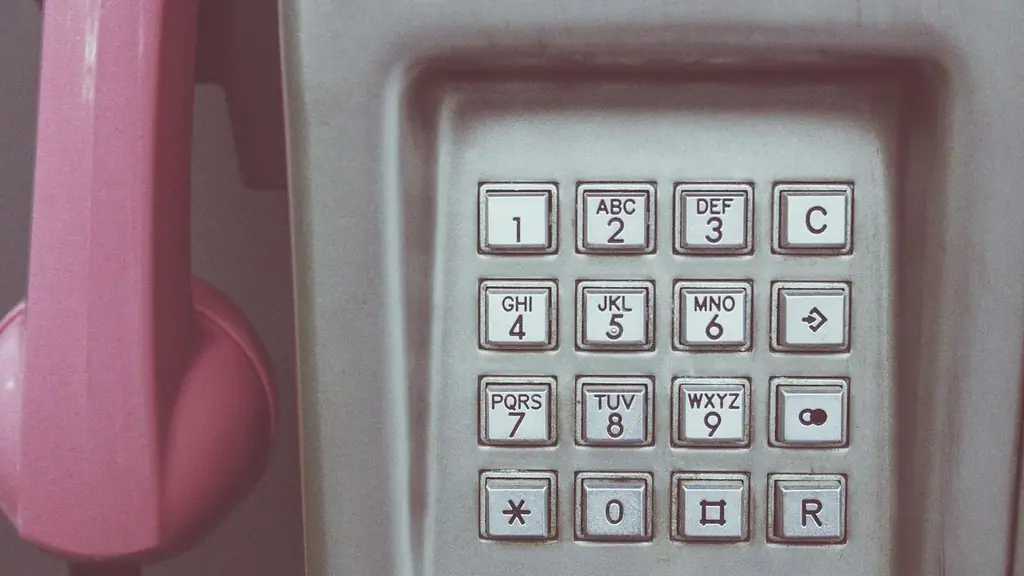
Your phone rings three times in a week from the same unfamiliar number. There is no voicemail. Is it a doctor's office, a delivery driver, a debt collector, or a scammer? The natural instinct is to type the number into a search engine or a "reverse phone lookup" site and find out who is behind it.
Sometimes that works. Often it does not, and occasionally it points you at the wrong person entirely. This page explains what a reverse lookup can realistically tell you, why the number on your screen may not belong to the caller at all, how people-search sites assemble their reports, and which official tools actually reduce unwanted calls.
What a reverse lookup can tell you
A reverse lookup starts from a phone number and tries to find a name, a business or a location. Different sources give very different answers:
| Source | What it can tell you | Limits |
|---|---|---|
| A plain web search | Businesses, offices and organizations that publish their number; complaint forums where others reported the same number | Little or nothing for private mobile numbers |
| Your phone's built-in labeling or your carrier's app | Whether calls from the number look like spam, based on call patterns and reports | A label is an estimate, not an identification |
| Free lookup pages | Sometimes the carrier and the general area where the number was first issued | Numbers move between carriers and owners; area codes no longer prove location |
| Paid people-search reports | A name, past addresses and relatives compiled from data brokers | Frequently outdated or mixed up with other people; "free" searches usually end at a paywall |
Two facts explain most of the gaps. First, there has never been a public directory of mobile numbers comparable to the old printed white pages for landlines, so a cell number may simply not be linked to any public record. Second, numbers are recycled: when someone gives up a number, it is eventually reassigned, and old records can attach the previous owner's name to the new one.
Tip: The most useful free lookup is often the simplest. Search the full number in quotation marks, then try it in the format with dashes. If it belongs to a pharmacy, school or company, its own website usually appears near the top.
Caller ID can lie
Even a perfect lookup only tells you about the number, not about the person who called. Scammers routinely fake the number displayed on your screen, a practice called spoofing. The Federal Communications Commission describes "neighbor spoofing," where a call shows a number that looks local so you are more likely to answer, and spoofing of numbers belonging to companies or government agencies you already trust.
Spoofing itself is not always illegal. The FCC notes that a doctor calling from a personal phone may display the office number, for example. Under the Truth in Caller ID Act, FCC rules prohibit transmitting misleading caller ID information with the intent to defraud, cause harm or wrongly obtain anything of value, with penalties of up to $10,000 per violation.
The practical consequence is important: if a scammer spoofs a real person's number, a reverse lookup will lead you to someone who has no idea the call was made. Never confront, threaten or publicly accuse the owner of a number because it appeared on your caller ID.
The phone industry's answer is caller ID authentication. Under FCC rules adopted in 2020, voice providers had to implement a framework called STIR/SHAKEN in the internet-based parts of their networks by June 30, 2021, and the requirement has since been extended to more providers. It lets the receiving carrier check whether a call really comes from the number shown, which feeds the "verified" marks and spam labels you may see. It reduces spoofing but does not eliminate it, especially on older or overseas networks.
How people-search sites work
Many "reverse lookup" sites are front ends for data brokers: companies that compile public records, marketing lists, social media profiles and other data into profiles they sell. Their reports can be surprisingly detailed and surprisingly wrong.
They also come with legal limits. The Fair Credit Reporting Act governs reports used for decisions about employment, housing, credit or insurance. People-search sites generally tell customers not to use their reports for those purposes. In 2023 the Federal Trade Commission announced that the operators of TruthFinder and Instant Checkmate agreed to pay $5.8 million to settle charges that they misled users about the accuracy of their reports and violated the FCRA while marketing reports for employee and tenant screening.
Before paying for a report, ask yourself what you will do with the answer. If the goal is to decide whether to call back, a web search and your carrier's spam label are usually enough. If you are being harassed or threatened, that is a matter for the police, who can obtain subscriber records from carriers through legal process. Our companion guide to finding people and phone numbers online covers legitimate directories and how to remove your own listing from people-search sites.
Robocalls, scams and what actually helps
Most unwanted calls are robocalls, and most of the tools that reduce them are free.
- Do not engage. The FCC advises not answering calls from unknown numbers, and hanging up if a recording asks you to press a button to stop calls, because responding can mark your number as active.
- Turn on blocking. The FTC recommends call-blocking and labeling tools from your carrier, your phone's settings or a reputable app. They will not catch every call, and they may occasionally block one you want, so check voicemail.
- Register with the National Do Not Call Registry. It will not stop criminals, but legitimate telemarketers must respect it, which makes remaining sales calls easier to recognize as suspicious.
- Report. Report unwanted calls at DoNotCall.gov, scams involving money or personal information at ReportFraud.ftc.gov, and spoofing or robocall problems to the FCC's complaint center. Reports help agencies trace calls and bring cases.
- Verify independently. If a caller claims to be your bank, a utility or a government agency, hang up and call the number printed on your statement or the agency's official website.
The same habits protect against text-message scams; see How to Recognize Phishing Emails, Texts and Calls and the related page on advance-fee scams.
Safety: Teach children and teenagers that they do not have to answer unknown numbers, and that no legitimate caller will ask them for passwords, verification codes or a parent's card details. Younger children should hand unexpected calls to an adult.
A quick decision checklist
Checklist: Unknown number? (1) Let it go to voicemail. (2) Search the number in quotation marks. (3) Check whether your phone or carrier labels it as spam. (4) If the caller claimed to be an organization, call that organization back using a number you find yourself. (5) Block and report if it is a robocall or scam. (6) Skip paid reports unless you have a clear, lawful reason.
For broader advice on keeping your number and other details out of circulation, read Understanding Online Privacy, or browse more guides under Internet Safety.
Recommended resources
- National Do Not Call Registry — Register home or mobile numbers, check a registration and report unwanted sales calls. Legitimate telemarketers must stop calling registered numbers; scammers ignore it (FTC; free).
- How To Block Unwanted Calls — Explains the main blocking options for mobile phones, landlines and internet phone service, and where to report different kinds of calls (FTC; free).
- National Do Not Call Registry FAQs — Answers what the registry does and does not cover, including which callers are exempt (FTC; free).
- Caller ID Spoofing — The FCC's consumer guide to faked caller ID, with tips for handling suspicious calls and a printable tip card (FCC; free).
- Stop Unwanted Robocalls and Texts — A plain-language summary of robocall rules, consent requirements and how to opt out of automated calls (FCC; free).
- Combating Spoofed Robocalls with Caller ID Authentication — Background on STIR/SHAKEN and the FCC's requirements for phone companies; useful for understanding "verified" call labels (FCC; free).
- FCC Consumer Complaint Center — File complaints about robocalls, spoofing and other phone problems (FCC; free).
- ReportFraud.ftc.gov — Report a phone scam in which you lost money or shared personal information; the site suggests next steps (FTC; free).
- CTIA: How to Stop Robocalls — The wireless industry association's overview of carrier and app-based blocking tools. It is an industry source, so treat product descriptions as informational (CTIA; free).
- Find My AG — Directory of state and territory attorneys general, whose consumer protection offices handle telemarketing and scam complaints (National Association of Attorneys General; free).
- Data Defense: Evaluating People-Search Site Removal Services — A 2024 Consumer Reports study comparing manual opt-outs with paid removal services; read it before paying to remove your data (Consumer Reports; free).
- Delete Request and Opt-out Platform (DROP) — California's free tool that sends one deletion request to every registered data broker (California Privacy Protection Agency; free; for California residents).
Sources
- Caller ID Spoofing, Federal Communications Commission
- Combating Spoofed Robocalls with Caller ID Authentication, Federal Communications Commission
- How To Block Unwanted Calls, Federal Trade Commission
- FTC Says TruthFinder, Instant Checkmate Deceived Users About Background Report Accuracy, Federal Trade Commission
- Data Defense: Evaluating People-Search Site Removal Services, Consumer Reports