Understanding Online Privacy: What Data You Share and How to Limit It
How cookies, tracking pixels, app permissions and data brokers collect your information, with a practical privacy settings checklist for browsers and phones.
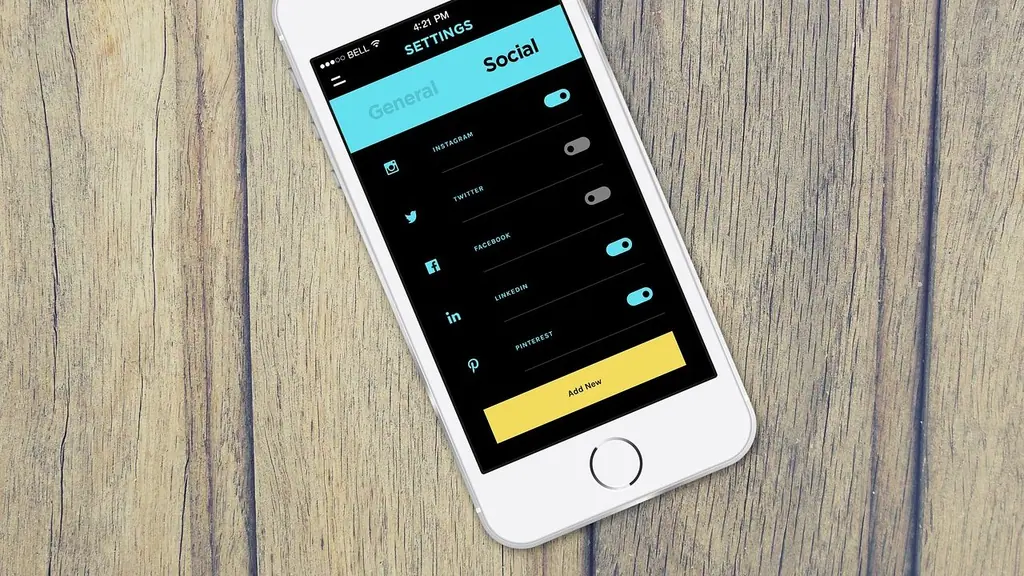
You look up a used guitar once, on your phone, during lunch. That evening, guitar ads appear on a news site on your laptop, in a video app and in your social media feed. Nobody read your mind. Several companies simply recorded what you did, connected it to your devices and sold the chance to show you an ad.
Most of us share far more data online than we realize, and much of it is collected automatically rather than typed in. That does not mean privacy is hopeless. A few informed choices, made once and reviewed now and then, cut down a surprising amount of tracking. This guide explains what gets collected and how, where data brokers fit in, and then gives you a step-by-step checklist for browsers, phones and accounts.
What you share, knowingly and not
It helps to sort personal data into four groups:
| Type | Examples | How it is collected |
|---|---|---|
| Data you provide | Name, email, birthday, photos, posts, messages, purchases | You type or upload it |
| Data collected automatically | Pages visited, time spent, device and browser type, IP address, location | Cookies, pixels, app code and your device settings |
| Data inferred about you | Interests, likely age, income bracket, health or political leanings | Companies analyze the first two groups |
| Data others share about you | Tagged photos, contact lists uploaded by friends, public records | Other people, apps and government records |
The first group is the one people think about. The other three are usually larger, and they are where most privacy settings make a difference.
How tracking works
The Federal Trade Commission (FTC) describes the main techniques in plain terms:
- Cookies are small files a website stores in your browser, used to remember your login, your shopping cart or your preferences, and to recognize you on later visits.
- Pixels are tiny, invisible bits of code in a web page or email that report back when you load it, including after you leave a site.
- Device fingerprinting identifies your browser from the unique combination of its settings and configuration, without storing anything on your device.
- Advertising identifiers are unique codes on your phone that advertisers use to recognize you across apps.
The FTC also explains the difference between first-party tracking (the site you visit tracks you) and third-party tracking (the site lets another company track you). Third-party trackers can follow you across most of the sites you visit, which is how a single search becomes a week of targeted ads. Companies may also link your activity across devices, such as a laptop and a phone.
Not all tracking is sinister. Remembering what is in your cart or keeping you logged in is useful. The question is whether you know about it and get to choose.
App permissions
Apps can ask your phone for access to your location, contacts, photos, camera, microphone and more. The FTC suggests reviewing these in your phone's privacy settings, turning off permissions an app does not need to work, and considering deleting apps that request far more access than their function requires. A flashlight app has no reason to read your contacts; a map app needs location only while you are using it.
Try it: Open your phone's privacy settings and look at the list of apps with location access. For each one, ask: does it need my location to do its job? Change any that do not to "Never," and change the rest to "While using the app" where that option exists. Then do the same for contacts and photos.
Data brokers and people-search sites
Data brokers are companies that collect and sell information about people, often without any direct relationship with them. California's privacy agency notes that the information brokers collect can include Social Security numbers, data about children and search history. Some brokers run "people-search" websites that publish addresses, phone numbers and relatives' names; others sell data for marketing or risk scoring.
Removing yourself is possible but slow, because each broker has its own process. California has built a shortcut for its residents. Its Delete Request and Opt-out Platform (DROP), run by the California Privacy Protection Agency, lets a California resident send one free request to over 600 registered data brokers asking them to delete and stop selling their information. Starting August 1, 2026, data brokers must access DROP at least once every 45 days to process deletion requests, and the agency says it can take up to 90 days for status updates to appear. In some cases, such as a parent acting for a child, you can submit a request for another California resident. Outside California, look for the opt-out or privacy request page on each people-search site that lists you, and expect to repeat the process occasionally.
Tip: Never pay a stranger who contacts you offering to "remove your data." If you choose a paid removal service, research it the way you would any company, and know that you can make most requests yourself for free.
Decide what matters to you
Privacy advice can feel endless, so start by deciding what you most want to protect. The Electronic Frontier Foundation's Surveillance Self-Defense guide suggests making a simple security plan by answering five questions:
- What do I want to protect? (Messages, location, photos, contacts, financial accounts.)
- Who do I want to protect it from? (Advertisers, scammers, an ex-partner, a curious classmate.)
- How bad are the consequences if I fail?
- How likely is it that I will need to protect it?
- How much trouble am I willing to go through to prevent the consequences?
A student who mainly wants fewer creepy ads needs different steps from someone worried about a stalker. EFF stresses that there is no single right answer: the aim is to make informed choices about the risks you actually face.
A privacy settings checklist
Work through these steps on each browser and phone you use. Most take a minute or two. They are drawn from the FTC's consumer guidance.
- Clear your history and cookies if you do not want ads based on past activity, and reset or delete your phone's advertising identifier.
- Adjust browser privacy settings. Most browsers let you block third-party tracking, stop sites from seeing your location, and choose whether to allow personalized ads.
- Understand private browsing. A private window deletes your history when you close it, but the FTC notes that it does not stop websites from seeing what you do.
- Opt out of personalized ads on your phone. Both major phone operating systems have a setting in the advertising section of privacy settings. You will still see ads; they just will not be based on your history.
- Consider an ad or tracker blocker, knowing that blockers may not stop all ads or tracking and do not protect against viruses or malware. Read reviews from reputable sources before installing one.
- Use industry opt-out tools. The Digital Advertising Alliance's AdChoices and the Network Advertising Initiative offer opt-outs for participating advertisers. Repeat them on each browser and device.
- Choose carefully on cookie notices. When a site offers a choice, selecting only necessary cookies limits advertising and analytics tracking.
- Check social media and account settings, including who can see your posts, whether your profile is searchable, and how the service uses your activity.
- Review smart TVs and streaming devices, which have their own privacy and tracking settings.
- Secure the accounts themselves. Strong, unique passwords and multi-factor authentication protect everything else on this list; see Password Security Basics.
For families and schools
Children's data gets extra legal protection in the United States. Under the Children's Online Privacy Protection Act (COPPA), sites and apps directed to children under 13, and general sites that know they are collecting a child's information, must give parents notice and get consent before collecting, using or disclosing it. The FTC notes that COPPA's definition of personal information includes photos, videos, voice recordings, physical location and persistent identifiers such as IP addresses. Parents can review what was collected, withdraw consent and ask for deletion. Our guides to safe internet research for children and digital literacy for families cover the practical side at home.
For school apps and learning tools, the Common Sense Privacy Program evaluates the privacy policies of education technology products so that parents and teachers can compare them, and works with schools, districts and developers to make policies clearer. Organizations that handle personal data on a larger scale, including schools and libraries, can use the NIST Privacy Framework, a voluntary tool from the National Institute of Standards and Technology for identifying and managing privacy risk.
Safety: Location sharing deserves special care for children and teens. Turn off location tagging on photos and posts, check which friends or apps can see a live location, and talk about why a public post that shows a school, a home or a regular schedule can be risky.
Keep it going
Checklist: I know which apps can see my location, contacts and photos. Third-party tracking is limited in my browser. Personalized ads are turned off on my phone. My social media profiles show only what I intend. I have searched my name on people-search sites and know how to opt out. My important accounts use unique passwords and multi-factor authentication. I review these settings every few months and after installing new apps.
Scammers often use personal details to make their messages convincing, so privacy and scam awareness go together. Read How to Recognize Phishing Emails, Texts and Calls next, and find more hand-checked tools under Internet Safety.
Curated resources
Checked by hand from the Internet Safety shelf of the library (for general readers). Each entry says what it costs and when we last verified it.
Bitwarden
Bitwarden Inc.bitwarden.com
An open-source password manager that generates and stores strong, unique passwords and syncs them across devices. Its generous free plan makes good password habits easy for individuals and families.
Using it: Free plan covers unlimited passwords on unlimited devices; premium adds extras.
Verified
CISA Cybersecurity Best Practices
Cybersecurity and Infrastructure Security Agencycisa.gov
Guidance from the U.S. Cybersecurity and Infrastructure Security Agency on protecting devices, accounts and data. It covers multifactor authentication, strong passwords, software updates and recognizing phishing, with plain-language tips suitable for households, schools and small organizations.
Using it: Free, no account.
Verified
eSafety Commissioner
Australian Governmentesafety.gov.au
The website of Australia's independent online safety regulator, providing advice for parents, young people, educators and seniors. It explains how to deal with cyberbullying, image-based abuse and online scams, and offers official reporting channels for harmful content.
Using it: Free.
Verified
Firefox
Mozillafirefox.com
A free, open-source web browser from the nonprofit-backed Mozilla, with built-in tracking protection and extensive privacy settings. A solid choice for anyone wanting a browser not tied to an advertising company.
Using it: Free, no account required.
Verified
FTC Consumer Advice
U.S. Federal Trade Commissionconsumer.ftc.gov
Practical guidance from the U.S. Federal Trade Commission on avoiding scams, protecting your identity, shopping safely and dealing with debt. Scam alerts explain the latest schemes and how to report them.
Using it: Free, no account.
Verified
Have I Been Pwned
Have I Been Pwned (independent)haveibeenpwned.com
A free, widely respected service that checks whether your email address or phone number appears in publicly known data breaches. It explains which breaches affected you and what data was exposed, so you know which passwords to change, and offers free breach notifications.
Using it: Free for individual searches; paid API for businesses.
Verified
IdentityTheft.gov
U.S. Federal Trade Commissionidentitytheft.gov
The U.S. Federal Trade Commission's official site for reporting identity theft and getting a personalized recovery plan. It walks victims through steps such as contacting companies, placing fraud alerts and correcting credit reports, with prefilled letters and forms.
Using it: Free.
Verified
National Do Not Call Registry
U.S. Federal Trade Commissiondonotcall.gov
The official U.S. registry for limiting telemarketing calls. Register home or mobile numbers, check whether a number is listed and report unwanted or illegal robocalls, which helps regulators track phone scams. Registration is free, so any caller asking for payment to sign you up is a scammer.
Using it: Free. Registration never expires; the government never charges to register or calls to ask for payment.
Verified
NCSC (UK) Advice for You and Your Family
National Cyber Security Centre (UK)ncsc.gov.uk
Practical cyber security advice from the UK National Cyber Security Centre for individuals and families. Short guides explain how to secure email and social media accounts, back up data, set up devices safely and recognize scam messages, all written for non-technical readers.
Using it: Free, no account.
Verified
Phishing Quiz (Jigsaw)
Jigsaw (Google)phishingquiz.withgoogle.com
A short interactive quiz from Jigsaw, a unit of Google, that shows realistic examples of emails and asks whether each is legitimate or a phishing attempt. Explanations after each answer highlight warning signs, making it a quick training exercise for students and adults.
Using it: Free, no account.
Verified
Surveillance Self-Defense (EFF)
Electronic Frontier Foundationssd.eff.org
A free guide from the Electronic Frontier Foundation to protecting your privacy and security online. It explains threat modeling, secure messaging, strong passwords and device security, with tutorials tailored to students, journalists, activists and anyone concerned about surveillance.
Using it: Free, no account.
Verified
uBlock Origin
Raymond Hill and open source contributorsgithub.com
A free, open-source content blocker that removes ads, trackers and malicious domains from web pages. Blocking malvertising and trackers makes browsing faster and safer, especially on research-heavy sites.
Using it: Free and open source. Availability varies by browser; install only from official browser add-on stores.
Verified
Sources
- How Websites and Apps Collect and Use Your Information, Federal Trade Commission, Consumer Advice
- Your Security Plan, Electronic Frontier Foundation, Surveillance Self-Defense
- Delete Request and Opt-out Platform (DROP), California Privacy Protection Agency (CalPrivacy)
- Protecting Your Child's Privacy Online, Federal Trade Commission, Consumer Advice
- Common Sense Privacy Program, Common Sense Media
- NIST Privacy Framework, National Institute of Standards and Technology